Tech club students in Grades 4 and 5 had lots of fun experimenting with stop motion animations. Stopmotion is an animation technique that displays a still object in a moving sequence, giving the illusion that the object is actually moving. Using a series of pictures, their imaginations and the Stopmotion Studio app on the iPad, students created some fun animations.
Wednesday, 30 March 2016
Fun with Stop motion Animations
Tech club students in Grades 4 and 5 had lots of fun experimenting with stop motion animations. Stopmotion is an animation technique that displays a still object in a moving sequence, giving the illusion that the object is actually moving. Using a series of pictures, their imaginations and the Stopmotion Studio app on the iPad, students created some fun animations.
Thursday, 17 March 2016
Exploring Digital Creativity Using Everyday Objects
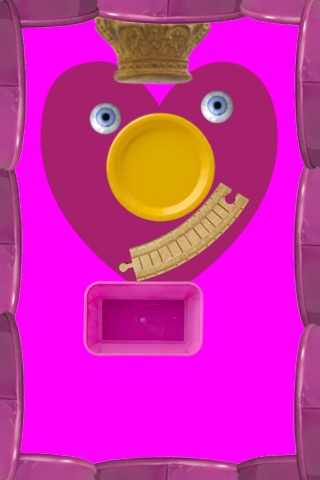
In preparation for Purim, students in Morah Tova's SK class created characters from the Megillah using Hanoch Piven's Faces iMake app. Students explored a gallery of everyday objects and used their imaginations to design a face for the characters in the Megillah. For more information on Piven's interesting artistic talent and work, check out his website at http://www.pivenworld.com/
Here are samples of their masterpieces:



.
Wednesday, 16 March 2016
Procedural Writing with Book Creator
Students in Ms. Pick's 1B class are learning to write procedures. They are using the Book Creator app to depict the steps of a procedure of their choice through the use of text, graphics and audio components.


Tuesday, 15 March 2016
Meet Members of our Grade 4/5 Tech Club
Tech Club students in Grade 4 and 5 used Adobe Voice to create a video presentation introducing themselves. Check out their amazing videos below.
One of our students loved using the app so much, she used it to create an advertisement for her father's business. Here it is:
Friday, 11 March 2016
Grade 5 Human Body Canva Posters
As a culminating task to their Human Body science unit, students in Grade 5 researched the different systems in our body. They designed beautiful digital posters using Canva, an online graphic design platform.
Check out their creations below:


Sunday, 28 February 2016
Exploring Creativity and Digital Storytelling on the iPad
The students in Mrs. Naiman's Grade 3 class used the Explain Everything app to create a science video. They were given the challenge of building a strong and stable structure that would be load bearing. Take at look at this exciting video that was created by one of the students.
In Ms. Schwartz’s class, students used the Book Creator app to document the process of building a structure that based on specific criteria and mathematical measurements. Students included their hypothesis, experiment results and conclusions. Click here to view a sample.
In the Grade 3 social studies unit, Living and Working in Ontario, students in Ms. Haber’s class were provided with a Book Creator file with an assortment of pictures of different communities. The students were then asked to sort the pictures according to the community type: Urban, Suburban, or Rural. The students then added in words, sound clips, and/or illustrations to each section of their book in order to describe what each community looks and sounds like.
Thursday, 25 February 2016
Grade 6 Social Studies Digital Storyboarding
Students in Grade 6 created historical storyboards in their Social Studies classes depicting the culture, lifestyle and traditions of specific First Nations Communities as well as their interactions with Early European explorers. Using elaborate and informative combinations of graphics and texts, students did a great job of bringing history to life. Here are some samples of Storyboards created by students 6B and 6G.


Subscribe to:
Posts (Atom)